Are you tired of choosing between bulky GIFs with poor quality and complex video formats just to share a short, silent animation on the web? Perhaps you want to add a crisp, transparent logo animation to your website, or preserve high-quality frame-by-frame art without compromise. This struggle for a better animated image format is precisely what APNG Assembler v2.91 is designed to solve. This powerful, free APNG creator gives you direct control to build stunning APNG animated PNG files from a sequence of images. This guide will break down its technical interface into simple, actionable steps, turning you from a beginner into a confident creator of high-fidelity web animations.
What is APNG Assembler? Your Precision Animation Studio
APNG (Animated Portable Network Graphics) Assembler is a specialized, no-frills desktop tool for Windows and macOS. Its singular, powerful purpose is to assemble multiple PNG images into a single APNG file. Unlike GIFs, which are limited to 256 colors and often suffer from dithering, APNG animated PNG files support full 24-bit color, alpha transparency (smooth shadows and fading), and typically offer better compression. APNG Assembler doesn't record your screen or offer a fancy timeline editor; instead, it operates like a precision engineer. You provide the carefully prepared frames (as separate PNG files), and the software stitches them together with exacting control over timing, looping, and optimization. It’s the best APNG making tool for developers, digital artists, and web designers who need reliable, high-quality output.
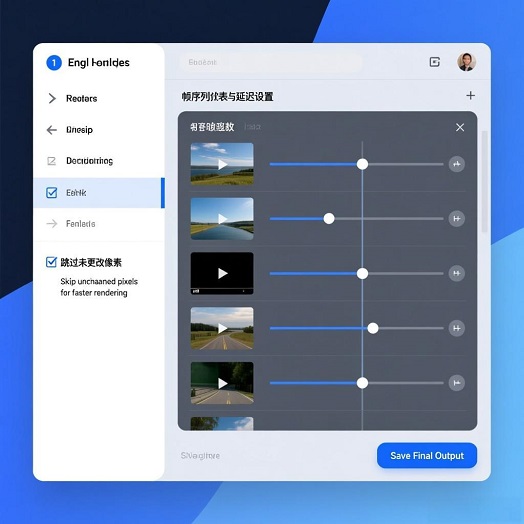
Mastering the Workflow: A Step-by-Step Frame Assembly Guide
Think of creating an APNG like building a flipbook. APNG Assembler is the binder that puts your pages in order and sets the flip speed. Follow this structured approach.
Phase 1: Foundation – Preparing Your Frame Sequence (The Most Critical Step)
The quality of your input frames dictates the quality of the final animation.
Action 1: Create or Export Your Frames. Ensure every frame of your animation is saved as a separate PNG file. They must all have the exact same pixel dimensions. Name them in sequential order (e.g., `frame_001.png`, `frame_002.png`). Consistent naming is not strictly required but makes the next step foolproof.
Action 2: Organize in a Dedicated Folder. Place all frame PNGs into one empty folder. This keeps your project tidy and makes file selection easy.
Phase 2: Setup – Loading Frames and Basic Configuration
1. Launch and Add Frames. Open APNG Assembler. Click the "Add" button. Navigate to your folder of frames. You can select multiple files at once (Ctrl+A or Cmd+A) and add them all. The order in the list is the playback order.
2. Adjust Frame Order if Needed. Use the "Up" and "Down" buttons to manually reorder any frames if your sequence was loaded incorrectly.
3. Set the Playback Speed (Delay). This is key to smooth animation. In the main list, you can set the delay (in hundredths of a second) for each frame individually. For a standard speed, a delay of "4" (4/100s, or 0.04s) creates 25 frames per second (fps). Select all frames (Ctrl+A) and enter a value in the "Delay" box to apply it globally. Use different delays per frame for creative pacing.
4. Configure Looping. In the "Plays" field, enter the number of times the animation should loop. Enter "0" for infinite looping (common for web animations).
Phase 3: Optimization – Controlling File Size and Compatibility
This is where APNG Assembler's power shines beyond basic assembly.
1. Choose Optimization Level. In the "Options" menu, find the optimization settings. The default is usually "APNG". This is your primary APNG animation software mode.
2. Understand Frame Optimization Modes:
Default Mode: Stores every frame in full. Highest quality, largest file size.
"Skip unchanged pixels" (Smart Mode): The software analyzes consecutive frames and only stores the pixels that change. This can dramatically reduce file size for animations where most of the scene is static (e.g., a blinking character on a fixed background). This is a hallmark feature of the best APNG making tool.
"Reuse unchanged pixels" (Buffer Mode): Similar but can be more compatible with some early APNG decoders. For modern use, "Skip" is generally preferred.
3. Preview and Iterate. Use the built-in preview panel to check timing and smoothness. If file size is too large, go back and enable "Skip unchanged pixels" optimization.
Phase 4: Creation – Generating and Testing Your APNG
1. Save the APNG. Click the "Save" button. Choose a filename and location. The `.apng` extension will be added.
2. Test Rigorously. Open your new `.apng` file in a web browser that supports APNG (like Firefox or Chrome) and also in a dedicated image viewer (like IrfanView with plugins). Ensure it loops correctly, transparency works, and the speed is as intended.
In-Depth Review: Why APNG Assembler Excels in its Niche
Strengths:
Uncompromising Control and Quality: It provides direct, low-level control over every frame and timing parameter, guaranteeing the output matches your artistic or technical specifications precisely.
Superior Optimization Engine: The "skip unchanged pixels" logic makes it the best APNG making tool for creating efficient, web-ready animations that are often much smaller than equivalent GIFs with vastly better color and transparency.
Lightweight and Focused: It does one job perfectly without bloat. It’s a fast, portable utility that doesn't require a complex video editing suite.
Essential for Developers & Designers: For creating animated favicons, UI elements, or data visualizations where control over every pixel and timing is paramount, it's indispensable.
Considerations:
No Built-in Frame Creation: This is strictly an assembler, not an animator. You must create your frames in another program (like Photoshop, Krita, or After Effects).
Technical, Minimalist Interface: The UI presents all options at once and can feel dated or intimidating to absolute beginners who are used to wizard-based tools.
Browser Compatibility Check: While support is excellent in modern browsers, always check that your target environment (e.g., specific apps, older systems) can render APNG files.
Final Verdict:
APNG Assembler v2.91 is the precision scalpel in a world of animated image Swiss Army knives. If you need to create high-fidelity, optimized APNG animated PNG files from a prepared sequence, no other free APNG creator offers this level of reliable, granular control. The learning curve is about understanding animation principles (frame delay, optimization) rather than fighting a complex software. For anyone serious about web graphics, digital art preservation, or technical animation, mastering this tool is a highly valuable skill that elevates your work above the limitations of the GIF format.
Official Download Address:
You can download APNG Assembler v2.91 from its official project page on SourceForge. This ensures you get the legitimate, unmodified software: