about computer security. It's one of those things we all know we need, but figuring out which antivirus to trust can feel like navigating a minefield. You've got the big, flashy names that eat up your system resources, the free ones that nag you endlessly to upgrade, and a whole sea of options in between. For years, I just used whatever came with my PC. Then, during a deep dive into finding a balance between solid protection and a quiet, efficient presence, I kept seeing one name pop up in forums and expert discussions, often described as a "hidden gem": K7 Antivirus.
Originating from India with decades of experience, K7 isn't about the loudest marketing. It's built on a different philosophy: strong, essential security that works diligently in the background without turning your computer into a drag. I decided to take it for a spin, moving past the feature lists to see what it's actually like to live with day-to-day. Is it the right guard for your digital life? Let's break it down.
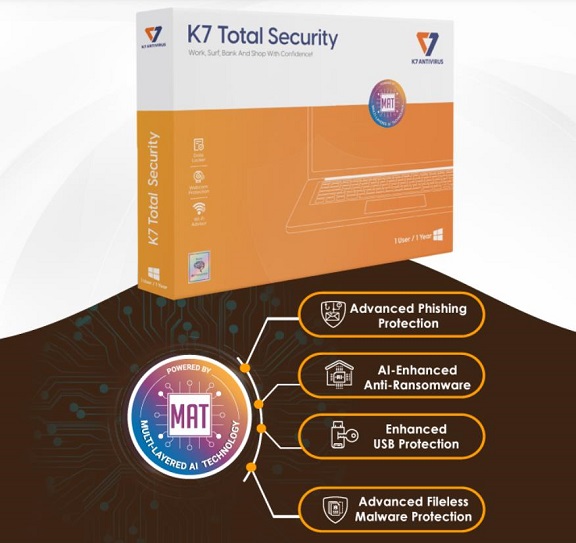
Getting Started & Making It Work For You
Downloading and installing K7 is a breeze from their website. The interface is immediately refreshing—it's clean, logical, and doesn't assault you with scary warnings or bright red "YOU'RE IN DANGER!" buttons. Everything is neatly categorized. Here’s how to move from just having it installed to actually setting it up smartly.
First Moves: The Initial Scan and Real-Time Shields
Your first instinct might be to run a full system scan. That's fine, but let's be smarter about it. First, head to the 'Settings' or 'Configuration' area. Look for the scan scheduling option. Set a full system scan for a time when you're not using the computer, like 2:00 AM on a Sunday. This way, it does its deep cleaning without you ever noticing.
Now, the real hero is the real-time protection. This is K7's always-on guard. In the settings, ensure that all real-time shields—File System, Email, Web Browsing—are enabled. This is your frontline defense, checking everything that tries to enter or run on your PC instantly. Think of the scheduled scan as a weekly home inspection and the real-time shields as the locks on all your doors and windows.
The Hidden Toolkit: Beyond Just Virus Scanning
Most people install an antivirus and forget it. But K7 packs some useful tools that are worth configuring.
System Optimization (Tune-up): Buried in the tools section, you'll often find system cleanup utilities. Running this every couple of months can clear out temporary files and broken registry entries that slow your PC down. It's a nice bonus that aligns with K7's lightweight ethos.
Advanced Firewall Management (in Total Security): If you have the premium version, the firewall is a powerhouse, but it can be chatty. When you first install, you'll get pop-ups asking if certain programs can access the internet. Be patient and answer these. This "learning mode" allows K7 to build a set of rules tailored to your software, making it more effective and less intrusive over time.
Data Theft Prevention: This feature monitors attempts to access your clipboard, keystrokes, or sensitive documents (you can specify which folders hold your important files). It's not something you interact with daily, but knowing it's silently standing guard against data-harvesting malware adds a layer of peace of mind.
Dealing with Threats: The Quarantine is Your Friend
If K7 finds something, it won't just scream. It will typically move the suspicious file to Quarantine. Don't ignore this section! Check it periodically. Sometimes legitimate files get falsely flagged (a "false positive"). From the Quarantine, you can safely restore a file if you're sure it's clean, or permanently delete the confirmed bad stuff. This gives you control over the process.
The Real-World Verdict: Strengths, Compromises, and Who It's For
After using it as my primary shield for a while, here’s the honest scoop.
What Really Impresses (The Pros):
It's Surprisingly Lightweight: This is its biggest win. On a modern PC, you genuinely forget it's there. No sluggishness when opening apps or booting up. It delivers on the promise of strong, essential security without the bloat.
Clean, Uncluttered Interface: The UI is a masterclass in simplicity. You're never more than a few clicks from what you need. For users who find other security suites overwhelming, this is a huge relief.
Effective and Unobtrusive: In my time with it, and backed by consistent scores from independent labs like AV-Comparatives, it caught all the test threats and web-based nasties without a fuss. It just works, quietly.
Good Value in the Premium Suite: The Total Security package, which bundles the antivirus, firewall, data protection, and parental controls, often comes at a very competitive price point, especially for multi-year plans.
Where You Might Hesitate (The Cons):
The Free Version is Very Basic: K7's free offering is truly a stripped-down, antivirus-only engine. You miss out on the firewall, anti-ransomware, and system tools. It's a competent scanner, but don't expect a full security suite for free.
Brand Recognition (A Double-Edged Sword): It doesn't have the household name status in some regions. For some, that's a pro (less bloat). For others, it might cause hesitation, wondering if a bigger name would be "safer."
Support Can Be a Mixed Bag: While adequate, some user reports suggest getting help for very complex issues might not be as seamless as with the industry giants who have massive 24/7 support teams.
The Bottom Line: Who Should Seriously Consider K7?
K7 Antivirus isn't trying to be everything to everyone. It's a focused tool for a specific user.
You'll love it if: You're a performance-conscious user who hates sluggish software, want a no-nonsense interface, and are looking for a reliable, highly-rated antivirus that does its core job exceptionally well without drama. It's perfect for mid-to-high-end PCs where you want to preserve every bit of speed.
You should look elsewhere if: You absolutely need a forever-free suite with a firewall and tons of extras, or you thrive on a dashboard full of interactive graphs, notifications, and "security scores."
In a world of security software that often feels like overbearing bodyguards, K7 is more like a highly competent, discreet security detail. It doesn't shout about its presence, but it's always watching, and it gets the job done effectively. For the right user, that's exactly what strong, essential security should be.
Official Download Address:
You can download the free version or trial of the premium suites directly from the official K7 Computing website. Always get your security software from the source to avoid tampered installers.
https://www.jdoqocy.com/click-101626748-15450510
Disclosure: We may earn a commission if you choose to purchase a license through our link, at no extra cost to you. This supports our work in providing detailed, unbiased software reviews.