In the vast landscape of Windows software, few components have demonstrated the longevity and stubborn indispensability of the Microsoft Visual Basic 6.0 runtime library, especially when paired with Service Pack 6 (SP6). While modern development has moved to the .NET framework, a staggering number of critical business applications, internal tools, and specialized software still rely on this decades-old technology. This guide is not about learning VB6 programming from scratch; it's a practical manual for IT professionals, system administrators, and developers tasked with installing, configuring, and maintaining environments where legacy VB6 applications must continue to run flawlessly on modern Windows operating systems.
What is the Visual Basic 6.0 Runtime and SP6?
Released by Microsoft in 1998, Visual Basic 6.0 was a landmark Rapid Application Development (RAD) tool that empowered a generation of developers to build Windows software quickly. Its success means that countless compiled `.exe` programs and `.dll` components in active use today depend on a specific set of core files to function: the VB6 runtime library (`MSVBVM60.DLL` being the most crucial).
Think of the runtime as the "engine" that runs a VB6 program. The program itself contains the custom logic and interface, but it calls upon this shared engine for fundamental tasks like drawing windows, handling memory, and executing core commands.
Service Pack 6 (SP6), the final and most critical update for the VB6 development environment and its associated runtimes, was released to address stability, security, and compatibility issues. Applying SP6 is non-negotiable. It ensures the runtime library contains the latest fixes, which is paramount for both running existing applications securely and for any new development or recompilation of VB6 code. An application compiled with an IDE that has SP6 applied will often be more stable, even when run on a system with only the base runtime.
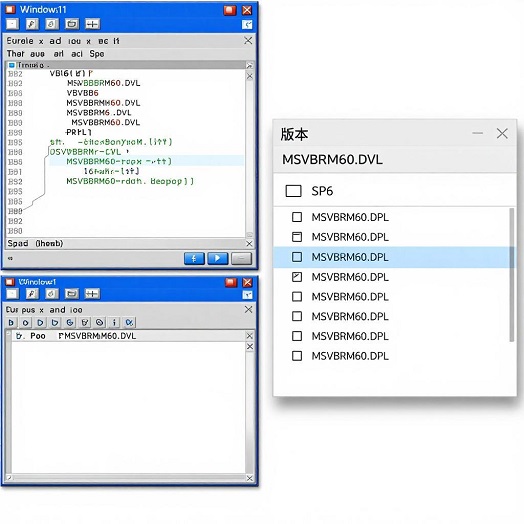
Phase 1: Installation and System Configuration for Modern Windows
Successfully supporting VB6 applications begins with a correct deployment of the runtime files. The era of simple setup disks is over; modern Windows versions (Windows 7 through 11) require specific handling.
1. Obtaining and Installing the Runtime & SP6:
The most straightforward method for end-users is often to let the legacy application's installer deploy the necessary runtime files. However, for system-wide deployment or troubleshooting, a manual approach is needed.
Official Source: The official VB6 SP6 update package can be downloaded from Microsoft's website (details linked at the end of this article). This package updates both the development environment and the runtime components.
Installation Key Tip: On modern OSs like Windows 8, 10, or 11, you must run the `SETUPSP6.EXE` installer with Administrator privileges. Right-click the file and select "Run as administrator." Failure to do so can cause the installation to flash on screen and fail silently without updating critical files like `MSVBVM60.DLL`.
Compatibility Mode: If installation hurdles persist, setting the installer's compatibility mode to "Windows XP (Service Pack 3)" can help bypass blocking issues.
2. Critical Post-Installation Configuration:
IDE for Developers: If you are installing the full Visual Basic 6.0 IDE for maintenance or compilation, a common recommendation is to perform a "Custom" installation. During this process, deselect the Visual SourceSafe (VSS) component and, under Data Access options, uncheck ADO and RDS. This prevents a known issue where the IDE incorrectly tries to register these components on every launch, causing errors.
For All Users: To ensure a VB6 application runs without "permission denied" errors, it is advisable to set its main `.exe` file to always "Run as administrator" via its Properties > Compatibility tab.
Phase 2: Core Usage and Maintenance Techniques
With the runtime correctly installed, your focus shifts to ensuring application stability and addressing common problems.
1. Dependency and Registration Management:
VB6 applications often use additional `.dll` or `.ocx` (ActiveX) files. If an app fails to start, use the `REGSVR32` command from an elevated Command Prompt to manually register these files:
`REGSVR32 "C:\Path\To\YourControl.ocx"`
2. Debugging and Problem Isolation:
Event Viewer: The Windows Event Viewer (Application logs) is your first stop for error diagnostics. Crashes often log helpful faulting module names here.
Dependency Walker: Tools like the classic `DEPENDS.EXE` (Dependency Walker) can analyze a VB6 executable and show which runtime files it's trying to load, helping to spot missing or corrupted dependencies.
3. Programming with the SP6 Runtime (For Developers):
For developers maintaining VB6 code, the SP6 environment enables several robust techniques:
API Calls: VB6 can extend its functionality by making direct calls to the Windows API using the `Declare` statement, allowing for low-level system operations.
COM Object Interaction: It excels at creating and consuming COM objects, a technology still used extensively in Windows for inter-process communication.
Class Modules: SP6 supports full class modules with property procedures (`Property Get`, `Property Let`, `Property Set`), enabling a cleaner, object-oriented design structure within the VB6 paradigm.
In-Depth Review: The SP6 Runtime's Lasting Value and Real-World Limitations
Strengths and Why It Endures:
Unmatched Legacy Support: It remains the only viable solution to run thousands of stable, mission-critical business applications where a rewrite is cost-prohibitive or risky.
Lightweight and Efficient: Compared to modern .NET runtimes, the VB6 runtime is small and loads quickly, offering snappy performance for straightforward desktop applications.
Mature and Stable (with SP6): After two decades and six service packs, the core runtime is exceptionally stable for the tasks it was designed to perform. SP6 specifically resolved numerous hangs and crash bugs.
Critical Limitations and Considerations:
Security: The VB6 runtime and compiler receive no security updates from Microsoft. Applications using it should be run in isolated network environments or with heightened security awareness.
Modern Integration Challenges: Features like high-DPI scaling, 64-bit native support, and modern UI frameworks are absent. VB6 apps look and feel like classic Windows software.
Talent Gap: Finding developers proficient in VB6 maintenance is increasingly difficult, turning application support into a specialist task.
Final Verdict: An Essential Niche Tool
The Microsoft Visual Basic 6.0 Runtime with SP6 is not a relic to be casually discarded; it is a critical piece of enterprise infrastructure for many organizations. Its value lies entirely in its backward compatibility and unwavering stability for legacy systems. For IT pros, mastering its deployment on modern Windows is a valuable skill. For developers, understanding its capabilities and constraints is key to maintaining important software assets. While no one would start a new project with it today, its role in keeping the digital world running is secure for the foreseeable future.
Official Download Address:
The final official Service Pack 6 for Visual Studio 6.0 (which includes updates for Visual Basic 6.0) can be downloaded from the Microsoft website here:
https://www.microsoft.com/.
Always ensure you download from official or highly trusted sources when dealing with core system libraries.