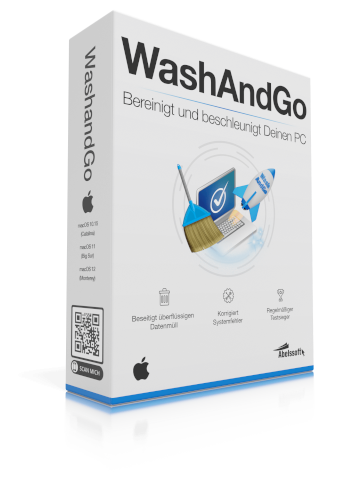
If you've noticed your Windows computer starting to slow down, freeze, or run out of storage space, you're not alone. System clutter is a common issue, and finding a reliable tool to fix it is key. Abelssoft WashAndGo (with its latest versions often referred to as WashAndGo 24 or 25) positions itself as a comprehensive solution. This in-depth review examines its features for cleaning junk files, fixing registry errors, and protecting privacy to see if it lives up to its promise of being a complete PC maintenance suite.
Core Promise: More Than Just a Cleaner
Unlike many basic disk cleanup utilities, WashAndGo is built on the idea of tackling multiple sources of system slowdown simultaneously. It aims to be a unified dashboard for PC health, combining automated cleaning with deeper system correction tools that are typically found in separate, more advanced software.
Key Features and How They Work
WashAndGo's functionality is broad, targeting the most common pain points for a sluggish PC.
1. Deep System and Junk File Cleanup
This is the foundation. WashAndGo scans for and safely removes gigabytes of unnecessary files that accumulate over time, including:
Temporary files from Windows and applications.
Obsolete backup files and broken shortcuts.
Cache and log files from various programs.
Remnants of uninstalled software that leave files behind.
2. Windows Registry Repair and Optimization
This is a standout feature. The registry is a core database for Windows settings, and errors here can cause slowdowns and crashes. WashAndGo scans for:
Invalid or broken registry entries that point to files or programs that no longer exist.
Orphaned keys and faulty references left behind after incomplete software uninstalls.
Fixing these can improve system stability and boot times.
3. Privacy Protection and Browser Cleaning
To help you manage your digital footprint, it cleans traces from your activities, such as:
Browser history, cache, cookies, and download lists across Chrome, Firefox, Edge, and others.
Recently used file lists in Windows and other applications.
4. Additional Maintenance Utilities
The suite rounds out its offering with useful tools like a duplicate file finder, a disk space analyzer to visualize what's filling your drive, a secure file shredder, and an alternative software uninstaller.
User Experience: Safety and Simplicity First
A major highlight is its focus on being safe for all users. Before any cleanup, it automatically creates a full, restorable backup of everything it plans to delete. You have a 7-day window to undo any changes, which is a crucial safety net. The interface is straightforward, guiding you from a one-click analysis to a customizable cleanup. You can also schedule automatic cleanings for a true "set-and-forget" maintenance routine.
Who Should Consider WashAndGo?
WashAndGo is best suited for Windows users who want a thorough, automated, and all-in-one approach to system maintenance. It's ideal if you:
Are not comfortable manually cleaning the registry or system folders.
Want more power and depth than the built-in Windows Disk Cleanup offers.
Prefer a single tool that handles multiple cleanup and optimization tasks.
Points to Consider
Pricing Model: WashAndGo is not freeware. It operates on a 30-day full-featured trial model. After the trial, a license is required for continued use.
Language Support: The primary interface is in English and German, which is a consideration for global users.
Final Verdict: A Robust Maintenance Solution
Abelssoft WashAndGo delivers a powerful and impressively safe package for comprehensive Windows optimization. Its integrated approach—combining deep cleaning, registry repair, and privacy tools—saves time and hassle compared to using multiple utilities.
Is it worth trying? If you're seeking a straightforward yet powerful tool to declutter, speed up, and maintain your Windows PC with confidence, WashAndGo is a strong candidate. Its robust backup and restore system makes it a very safe option to test on your own machine.
Ready to give your PC a refresh? You can learn more and download the full-featured trial directly from the official website using our link below. This allows you to see exactly how much clutter it can remove from your system.
Disclosure: We may earn a commission if you choose to purchase a license through our link, at no extra cost to you. This supports our work in providing detailed, unbiased software reviews.